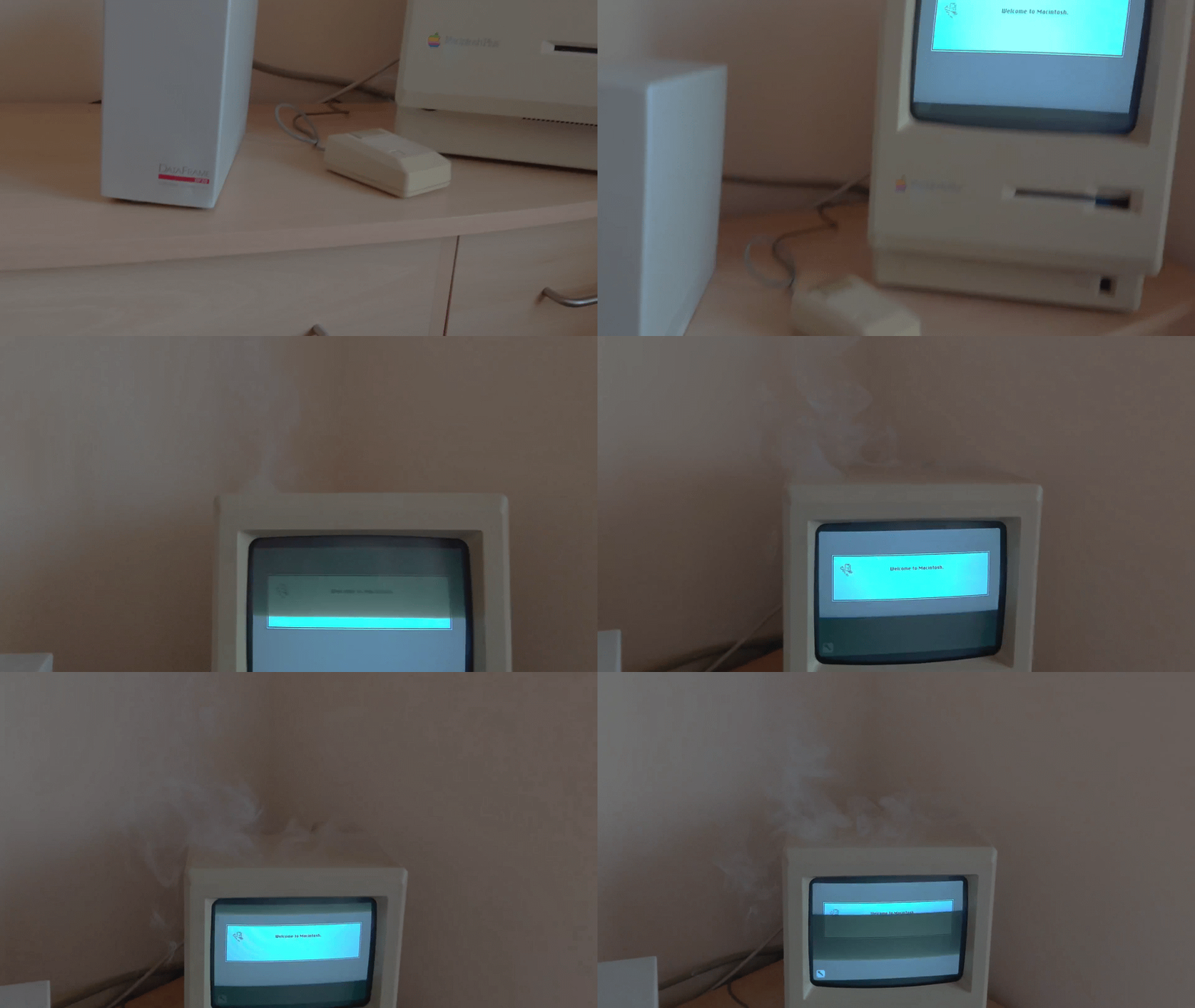
Source: r/VintageApple on Reddit.
While I aim to complete this project end-to-end on stream, there were a few things I had to take care of when I first got the Mac (and you probably should too, if you've decided to get one).
The first is that these Macs can explode. Well, sort of. From my research, there are two particularly common ways in which things can go wrong: a "battery bomb" or an old RIFA capacitor failing.
I'll quickly explain both, how to prevent them, and a few things worth knowing before you start taking apart a forty-year-old computer. I'll also briefly walk through the problems I ran into getting my own Mac working, and how to troubleshoot yours if it isn't quite cooperating.
TL;DR
- Remove the battery. Old batteries can leak and destroy your motherboard (which often makes your computer irreparable). Some Macs have an external battery compartment, while others require opening the computer.
- Replace the capacitors. Early Macs like the Macintosh 128K, 512K, and Plus have aging RIFA capacitors that produce smoke or even catch fire when they fail. Replace them ASAP.
- Vintage Macs contain dangerous high voltages. Even unplugged, the CRT and power-supply capacitors can retain a charge. Don't work inside one without understanding the risks and proper safety procedures (detailed below)
RIFA Capacitors
What is a RIFA capacitor? Well, a capacitor is an electronic component that stores electrical energy. They come in all sorts of shapes and sizes, and you'll find them in basically everything electronic. RIFA was a Swedish electronics manufacturer that made, among other things, capacitors used to suppress electrical interference in power supplies.
The issue is:
These are epoxy-encapsulated metal paper capacitors. The usual problem is that the epoxy in 20+ year old examples develops cracks. When the equipment has been turned off for some time, humidity enters the cracks. When it is turned on again, the capacitor will fail, releasing foul-odoured smoke and sometimes even catching fire.
[...]
Another common joke says RIFA stands for Replace If Found, Always.
Source: TekWiki.
Some computers known to have these capacitors include:
- Apple II and Apple IIe (depending on the power supply)
- Macintosh 128K
- Macintosh 512K / 512Ke
- Macintosh Plus
This isn't an exhaustive list, but if you have one of these, it's worth checking whether the original capacitors are still installed. If they are, you should replace them because they tend to stink & smoke if they go bad, and nobody wants that.
Here is a great guide on how to replace the RIFA capacitors in a Mac Plus.
Battery Bombs
Many vintage Macs contain a small battery used to preserve settings like the date and time while the computer is turned off. In later models, these are typically lithium PRAM batteries.
Unfortunately, after thirty or forty years, these batteries can rupture and leak a highly corrosive "battery barf" all over your motherboard which can make your computer impossible to repair. If your Mac still has its original battery, you should remove it.
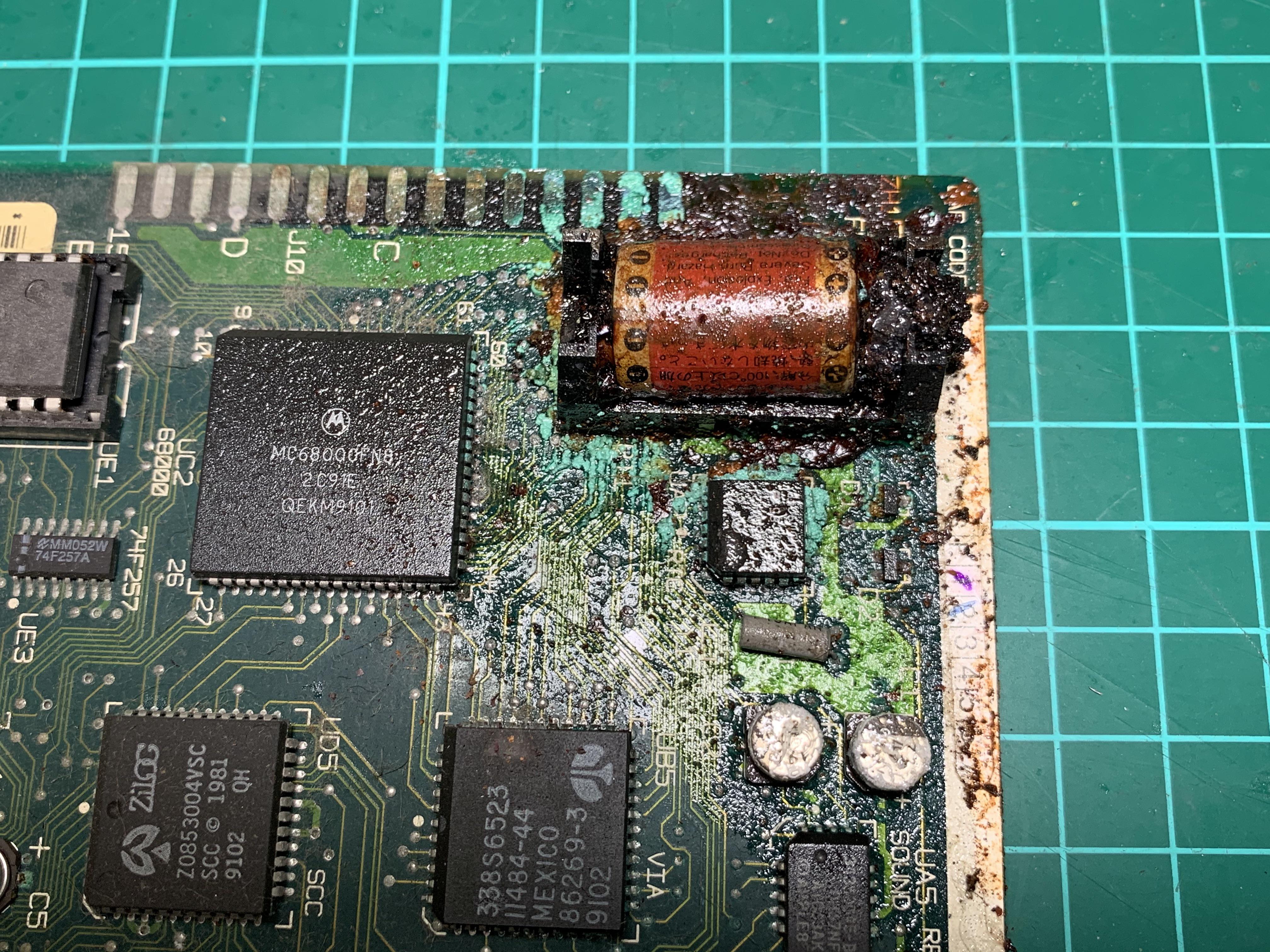
Source: r/VintageApple on Reddit.
Thankfully, the Macintosh 128K, 512K, and Plus (mine) have their batteries in a little compartment accessible from the back of the computer. You don't even have to open the case.
Some "ticking time bomb" Macintoshes are:
- Macintosh SE
- Macintosh SE/30
- Macintosh II series
- Macintosh Classic
- Macintosh Classic II
These have the batteries mounted directly on the motherboard (either socketed or soldered), so you'll need to open the computer to access and remove the battery.
A Quick Note on Not Electrocuting Yourself
Before you start opening these things, it's worth mentioning that compact Macs contain a CRT (cathode-ray tube), the big glass thing responsible for displaying everything on the screen.
CRTs operate at very high voltages and can retain a dangerous electrical charge even after the computer has been turned off and unplugged. Some models have bleeder resistors designed to dissipate this charge automatically, but you shouldn't assume they're working forty years later.
There's also the CRT's glass neck, which is particularly fragile. Breaking it can destroy the tube and potentially cause an implosion and flying glass. In short, be careful if you're planning on poking around inside one of these things.
I Was Lied To When I Bought My Computer...
Sometimes you may have acquired a vintage Mac that doesn't turn on for any number of reasons. A great resource is the Dead Mac Scrolls, a book from 1992 which describes various issues & their probable causes.
I bought my computer from an older gentleman who had owned several Macs since they were first released. I asked him whether the capacitors had ever been replaced, and he told me the computer had never been opened.
I took it home, opened it up, and immediately discovered a fan distastefully hot-glued to the inside of the computer.
So clearly someone had been in there before.
To their credit, the RIFA capacitors appeared to have been replaced, and the RAM had been upgraded from the original 1 MB to 4 MB. Whoever did this may have had questionable taste in fan installation, but they saved me quite a bit of work.
Unfortunately, the computer had another problem: every time I turned it on, the screen would flicker in a strange checkerboard pattern.
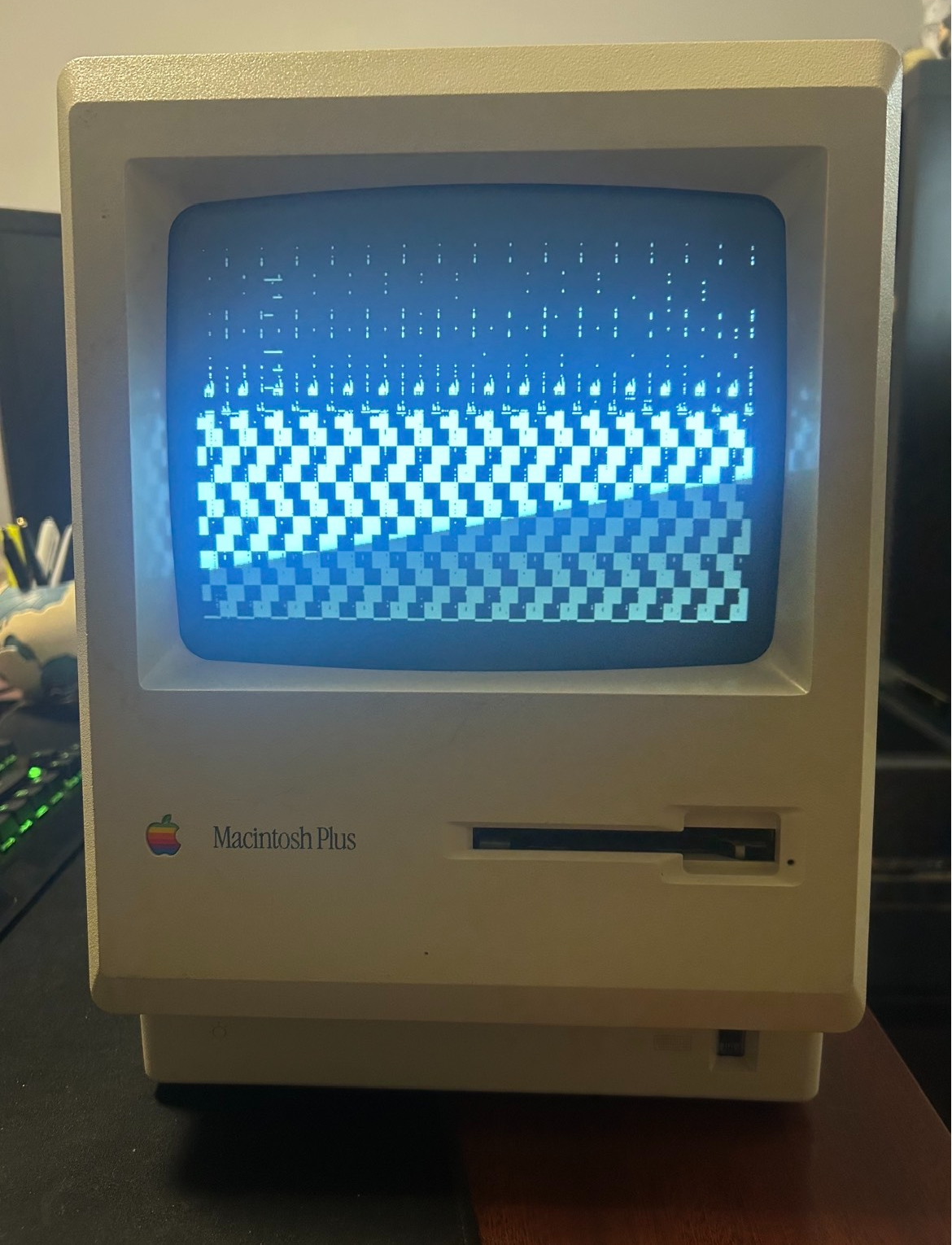
If I left it running long enough, it would eventually start working normally.
After some research, I learned a common problem with these old Macs is cracked solder joints on the analog board, which handles the power supply and display circuitry. After decades of heating up and cooling down, some of the connections can develop tiny fractures.
As the computer warms up, thermal expansion can temporarily restore an electrical connection. This seemed like a pretty reasonable explanation for why mine only worked after being left on for a while.
So, after taking the necessary precautions, I went through and reflowed the solder joints on the analog board.
And, to my great satisfaction, the problem was fixed!
Anyway, with the computer functioning and the more concerning forty-year-old components dealt with, we can finally start working on getting it online.